A Better Way to Maintain Your Medical Displays

Caring for your medical displays matters a lot for the accurate and trustworthy treatment of patients. Making a diagnosis and choosing treatment in radiology rely mainly on these displays.
If care and maintenance are not given regularly, the best display can eventually have issues with its performance. Effective routines are essential for maintaining equipment, as they support its longevity and accuracy.
Why Cleaning and Calibration Are Crucial
These monitors usually experience dust buildup along with other values that obscure the quality of displayed images. By regularly wiping down the screen with the right products and clothes, you will get a distraction-free display.
But cleaning is only the beginning. The benefits of any sensor are truly seen during calibration. Eventually, the settings on displays can alter, causing minor problems with brightness, contrast, and colors. This can make doctors less sure about their results.
There, the role of PerfectLum, a calibration and QA tool from QUBYX, is very significant. It enables users to maintain compliance with international standards like DICOM and makes regular calibration both accessible and effective. Incorporating tools like these into your workflow keeps displays reliable, consistent, and optimized for clinical precision.
Handle With Care and Protect Against Damage
Many people do not realize that something as simple as damaging the screen or not using a screen cover can significantly reduce the device’s lifetime. Having anti-glare covers or mounts that are padded can make a noticeable difference in keeping your equipment safe.
When relocating monitors, ensure proper handling to avoid internal stress or external scratches. In high-traffic areas, displays should be positioned in secure, low-impact zones.
Train all staff to treat these sensitive devices with care, reinforcing guidelines such as not placing objects on top or allowing exposure to food and liquids.
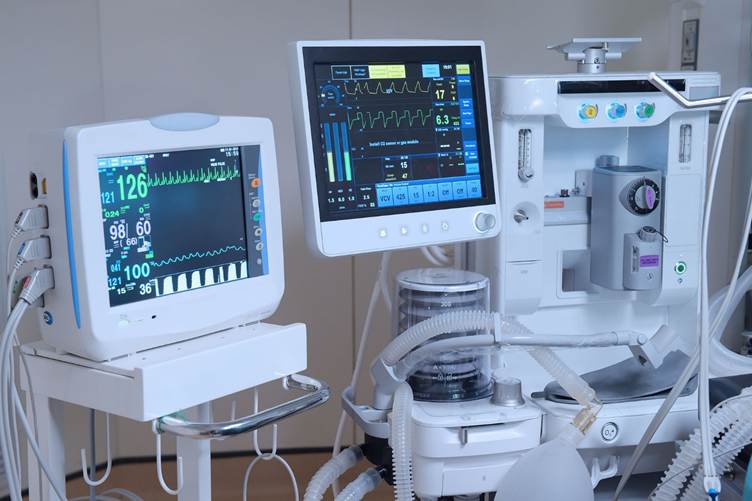
Control the Environment Around Displays
Displays respond to their surroundings more than we often realize. Excessive heat, humidity, or light can skew visual output and cause internal wear.
For example, the NY Primary Diagnostic display, known for its precision in grayscale representation, performs best under stable environmental conditions. Keeping your display environment within recommended temperature and humidity ranges helps maintain accuracy and prevents deterioration.
Curtains or indirect lighting can reduce glare, while consistent airflow and controlled humidity stop internal damage caused by moisture. Managing these factors ensures long-term reliability and better imaging outcomes.
Check Performance Regularly and Train Staff
Routine checks help catch minor issues before they become costly problems. Inspect for physical damage and evaluate display response, clarity, and luminance. Look out for visual inconsistencies that might hint at deeper performance issues. Also, ensure all cables and connections remain intact and functional.
Equally important is staff training. Teach your team how to clean, calibrate, and handle the displays properly. Encourage a maintenance schedule that includes regular inspections, calibration updates, and software upgrades.
By staying proactive and involving your team, you can keep your displays performing flawlessly. With support from tools like PerfectLum and manufacturers like QUBYX, who are committed to quality and compliance, maintaining top condition is simple and effective.